
DEXTRE, the cloud sales management system for wholesalers, manufacturers and trading companies
From order to payment,
one connected flow.
Manage orders from web catalogs, exhibitions, fax and Excel in the same order list.
Delivery notes, invoices and export documents are created from that order data.
Orders from different channels
in the same order list
Web catalogs, order links, proxy orders from fax, phone and email, Excel imports and the API. Orders from every channel become order data in the same format.
See order managementEach customer’s terms,
applied automatically
Register wholesale rates, transaction terms and currency for each customer. Wholesale prices are calculated automatically for every order.
See customer management and wholesale ratesKeep your core business system
as it is
Export in the import format of your core business system or accounting software, or integrate via the Merchant API. There is no need to replace your current system.
See core system integration and Merchant APITrusted in real wholesale operations
Used by manufacturer-wholesalers, trading companies, D2C brands, OEM manufacturers and more, from one-person businesses to listed companies with around 1,000 employees.
- Companies using DEXTRE
- 170+ companies
- Total transaction value (JPY)
- ¥100 billion+
- Retention rate
- 98%
As of 2026



















Keep your core business system as it is.
Order intake goes to DEXTRE.
DEXTRE is a cloud sales management system built for wholesale transactions at wholesalers, manufacturers and trading companies. Orders arriving through each channel are received in DEXTRE. Data can be passed to your current core business system or accounting software as an Excel export matched to its import format, or through the Merchant API.
- Export matched to your import format, down to column names, order and fixed values
- Connect core business, e-commerce and warehouse systems via the Merchant API (development required)
- Start with order intake and roll out in stages, without stopping your core business system
See core system integration and Merchant APISee data export templates
Problems DEXTRE solves
in wholesale ordering
and are re-keyed into the core system
in the same order list
Orders from web catalogs and order links become order data as they are. Fax, phone and email orders are entered once as proxy orders.
live in Excel and staff memory
applied automatically
Register wholesale rates, transaction terms and currency for each customer. Terms can also vary by web catalog or product.
is or how much is left
managed as one flow
Loan registration, sales reports and invoicing are all connected. Inventory at each consignee can be checked in a list at any time.
and Excel
on the same screens as domestic ones
Invoices in foreign currencies and export documents are created from the same order data as domestic orders. Currency and transaction terms are set for each customer.
Built for wholesale:
cloud sales management features
Transaction terms
Take orders
on each customer’s terms
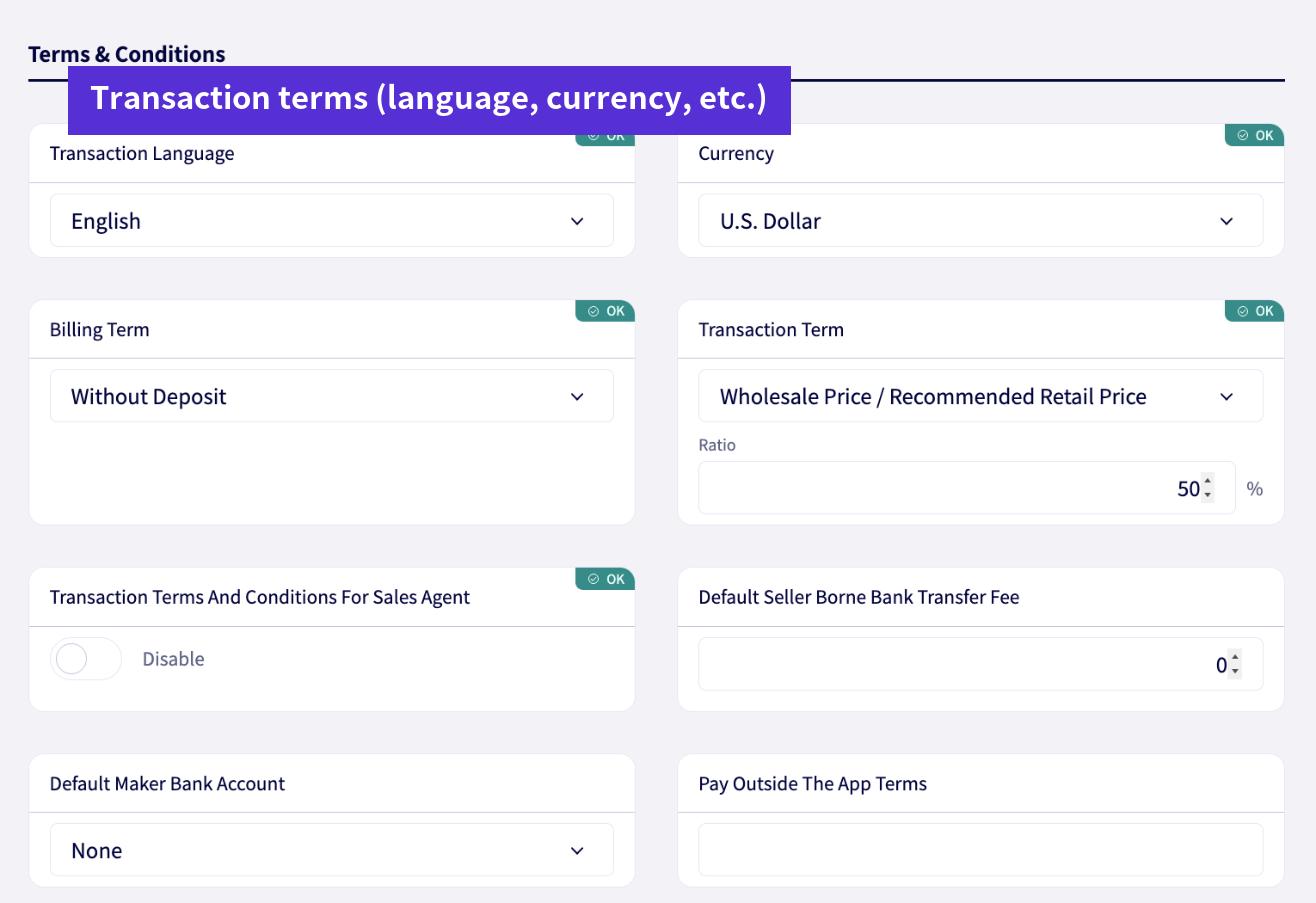
Register wholesale rates, discount rates, currency and transaction terms for each customer, and those terms are applied to the prices shown in web catalogs and to order amounts.
- Wholesale prices calculated automatically from list price × each customer’s wholesale rate
- Change which web catalogs, products and inventory each customer sees
- Fax and phone orders are entered on the same transaction terms
Documents and export paperwork
From order data
to documents and export paperwork
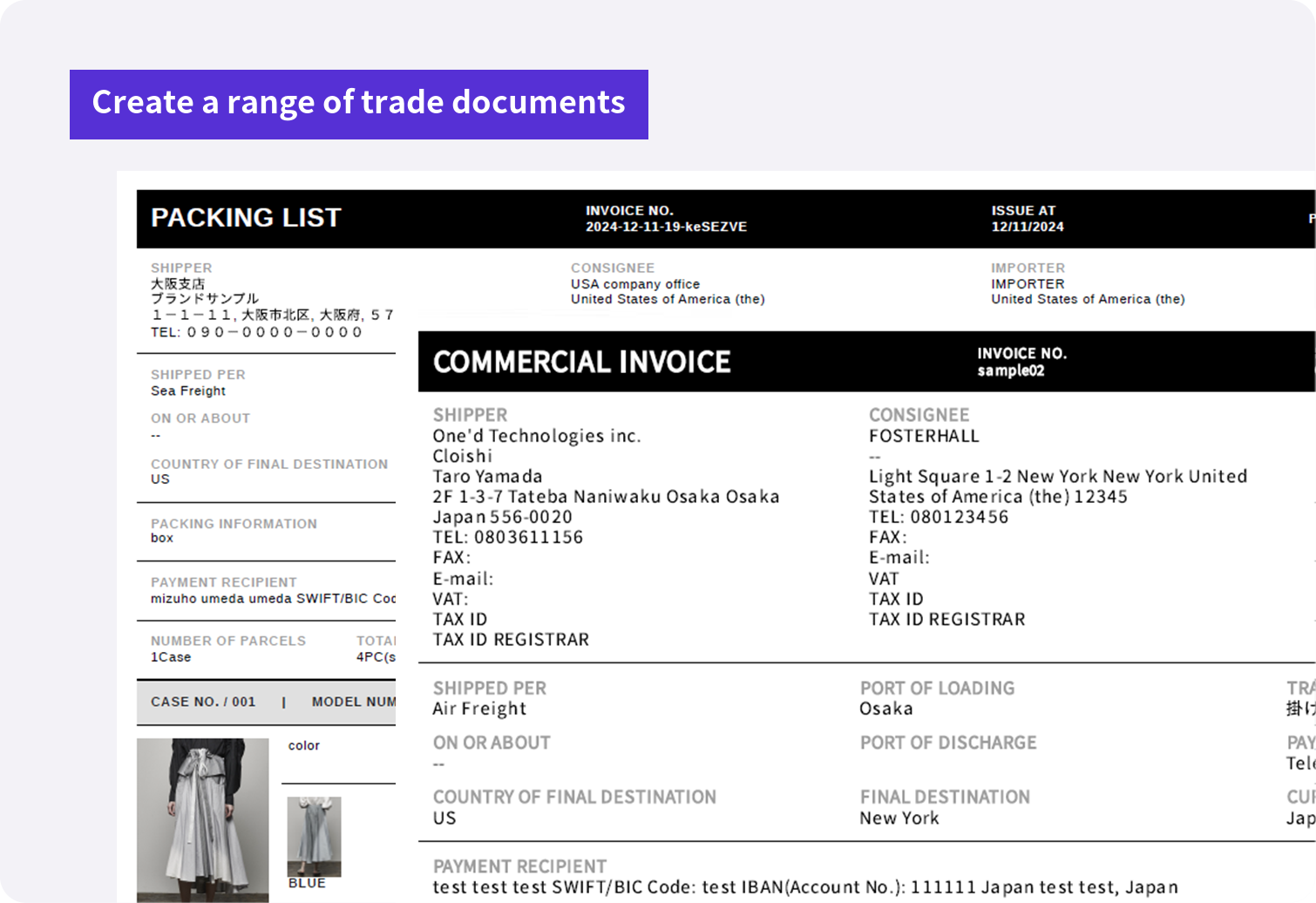
From order confirmations, delivery notes and invoices to commercial invoices and packing lists, documents are created from order data. There is no need to re-enter the same information.
- Supports Japan’s qualified invoices
- Deposit and balance invoices, credit notes
- Apply any of the 11 Incoterms per customer
Core system integration, data export and API
Connect to your core system
with data export or the API
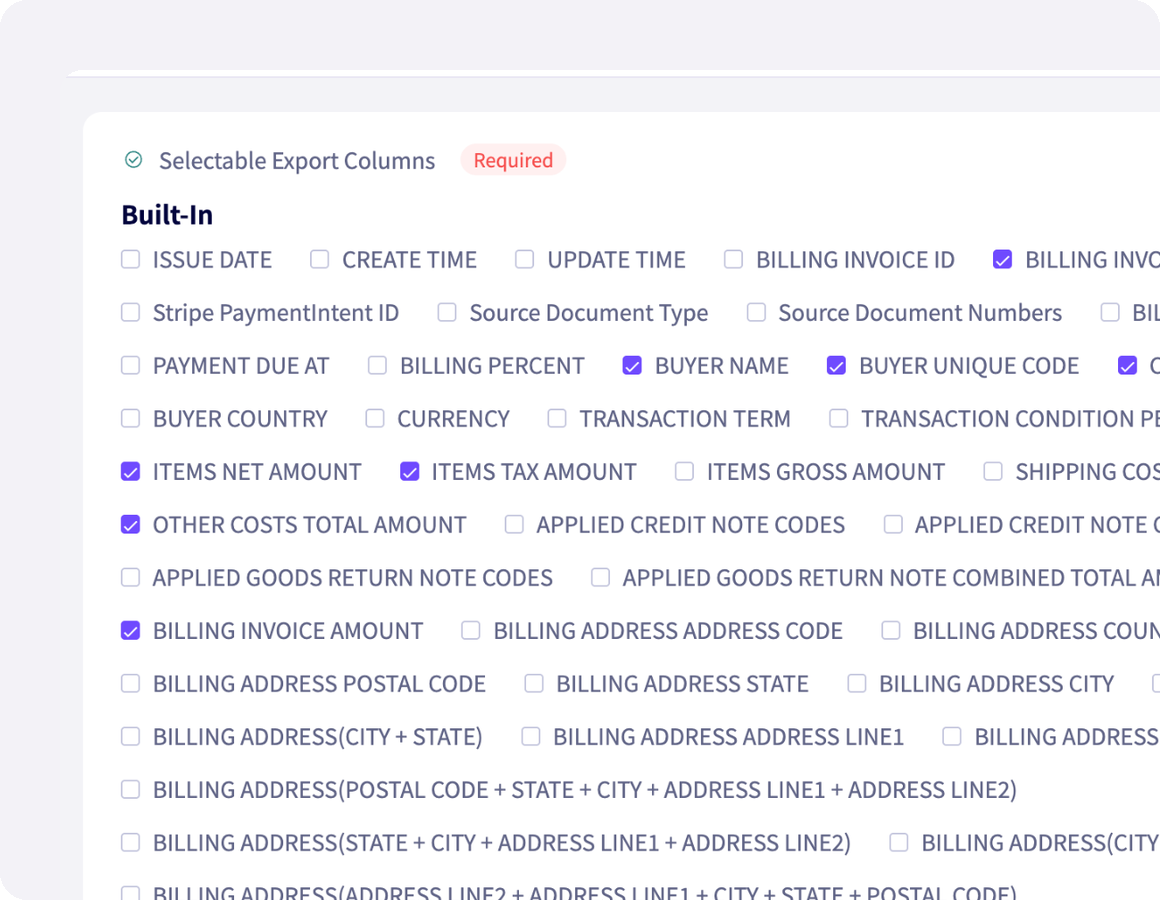
To connect without development, use data export. Define the fields, column order and column names in a template, and you can export Excel files matched to your core business system’s import format. To connect systems programmatically, the Merchant API lets you read and write order, inventory and product data.Note: Integration development is required.
- Export order, product, invoice, delivery note and customer data in your import format
- Read and write order, inventory and product data via the Merchant API (development required, add-on)
- Also integrates with Shopify, NEXT ENGINE and Ship&co
From order management to inventory, invoicing, payment and export:
DEXTRE’s main features
Orders and customers
Order managementOrders from all channels in one listOnline exhibitions andexhibition ordersTake and total orders via web catalogsOrder confirmation and
order change managementRecord changes and confirmCustomer management and
wholesale ratesRegistered terms applied automaticallyProduct and SKU master
managementColor and size SKUs under each product number
Inventory and purchasing
Inventory management,allocation and visibilityAllocation rules and inventory displayConsignment sales and
consignment inventoryConsigned inventory and sales reportsPurchasing, costing
and payablesPurchase orders, receipts, landed costs, payments
ALL FUNCTIONSAll featuresUse only the features you need
Choose the features that fit your business and systems, such as “orders only,” “online exhibitions and ordering,” or “end-to-end management through payment.” The base fee is the same no matter how many features you use. Add-ons such as the Merchant API and Stripe integration are available for an additional fee. Your customers use DEXTRE free of charge.
Product master
- SKU property settings
- SKU template settings
- SKU master management
- Product descriptions by language
- Multi-currency pricing
- Pricing by trade terms
- Pricing by SKU
- Cost settings
- Image settings
- Images by color
- Custom product attributes
- Option settings
- HS code settings
Customer management
- Customer code management
- Buyer organization information
- Billing information
- Billing code
- Delivery address information
- Delivery address code
- Transaction terms
- Transaction language settings
- Custom attributes
- Custom tags
- Orderable line sheet control
- Offline buyer feature
- Bulk buyer invitation
- Consignment sales and consignment loan management
Online order management
- Catalog name
- Catalog overview
- Order deadline settings
- Inventory management status settings (legacy)
- Tax display settings by buyer attribute
- Display settings by buyer
- Lookbook linking
- Video embedding
- Multi-language and multi-currency support
- Display control by customer
- Customer access restrictions
- Catalog-specific prices, delivery dates and SKU offerings
- Custom line sheet PDF
- File-sharing storage (lets customers download PDFs, images and other files)
- Instant order link (shareable online catalog)
- Dynamic brand link (shareable online catalog)
- Customer order link (online catalog for existing customers)
Inventory management
- Inventory facility settings
- Inventory location settings
- Inventory segment settings
- Inventory receipt lot settings
- Stocktaking
- Landed costs
- Automatic inventory valuation (moving average)
- Inventory allocation rule settings
- Make-to-order settings
- Stock sales settings
- Backorder settings
- Consignment sales and consignment loan management
- Inventory purchasing
- Inventory purchase orders
- Accounts payable and supplier payments
Order management
- Online ordering
- Excel ordering
- Order confirmation creation
- Price override
- Delivery date change
- Proxy orders
- Order status management
- Order data export
- Custom tags
- Order number sequence settings
Invoicing and payment management
- Invoice creation from order confirmations
- Deposit invoice creation
- Balance invoice creation
- Invoice creation from delivery notes (individual or combined)
- Automatic draft invoices on cutoff dates
- Invoice number sequence settings
- Payment entry
- Carried-forward balance management
- Credit notes
- Add shipping/other charges
- Invoice data export
- Bulk invoice email sending
Export features
- Order information
- Customer information
- Delivery information
- Billing information
- Payment confirmation
- Unpaid invoice balances
- Invoice list
- Product information
- Inventory information
- Data export templates
Basic settings
- Organization settings
- Office management
- Language settings
- Currency settings
- Billing terms settings
- Trade terms and transaction terms
- Billing address management
- Tax settings
- Bank accounts by currency
- Member management
- Shipping packaging settings
- Letterhead and signature management
Delivery management
- Bulk delivery note creation
- Individual delivery note creation
- Undelivered SKUs (legacy)
- Add shipping fees
- Add other charges
- Goods return notes
- Delivery note data export
- Bulk delivery note email sending
- Delivery note number sequence settings
Export document creation
- Commercial invoice creation
- Packing list creation
- Shipping packaging settings
Order analytics
- Order totals by catalog
- Order totals by product
- Order totals by SKU
- Order totals by buyer
Marketing management
- Email campaigns
DEXTRE handles wholesale transactions in any industry









Pricing plans
All plans include the same features. The longer the contract, the lower the monthly fee.
Upfront fee
¥0
No sign-up or administrative fees.
- Every plan includes the same features
- Keep your free trial data when you sign up
Monthly plan
Monthly (JPY, excl. tax)¥25,000
Month-to-month
contract
6-month plan
Monthly (JPY, excl. tax)¥22,500
Billed for 6 months at once.
Save ¥30,000 a year
Annual plan
Monthly (JPY, excl. tax)¥20,000
Billed for 1 year at once.
Save ¥60,000 a year
From free trial to daily operation,
our staff support you
Support desk
A dedicated account representative supports you from the free trial through after you sign up. We help you prepare for setup and get DEXTRE adopted across your team and by your customers.
See how to get startedInitial setup servicePaid
We handle the settings you need to get started and register your customers, products and other data. Pricing starts at ¥200,000 (JPY, excl. tax), quoted based on the number of products to register and the settings required.
See what the setup service includesUser guide
Step-by-step instructions for each screen, from settings to orders, inventory and invoicing, are publicly available. You can read them before signing up.
Open the user guideCommon questions before getting started
PLANPricing and contracts
Are there any costs besides the base fee?
Will I be charged after the free trial?
How do I cancel?
Do I need to submit any documents to sign up?
SUPPORTSetup and support
Do you offer support for setup and operation?
- Support is available in Japanese. In English, we provide support by email.
- A user guide explains each screen step by step
- We also offer an initial setup service (paid)